IDENTIFYING POLICE WORLDWIDE
Your complete guide to recognising law enforcement in every country
Explore the Gayther World Police Identifier tool, your global guide to recognising, understanding, and confidently identifying law enforcement agencies worldwide.
CONTENTS
MAP
ABOUT
USEFUL PHRASES
LIST
LAW ENFORCEMENT COOPERATION NETWORKS
STOPPED BY THE POLICE
GLOBAL POLICE SCAMS
MORE
SHARE
MAIN UNIFORM INFORMATION
UNIFORM VISUAL GUIDE
GENERAL
- Most uniforms have clear markings, typically with the words, POLICE, POLICIA or the equivalent in the local language
- The uniform will likely display a badge and ID number
- Most post officers will likely carry a radio or an equivalent, such as a taser, gun, visibility vest, body cam, etc.
RED FLAGS
- When the officer is plainclothed, and no ID is shown
- Where any ID shown is mismatched and where there is no badge number or force name
- Where the officer has no radio or other official equipment or gear
- The uniform is inconsistent (wrong colours, missing insignia)
GLOBAL STYLES
- Navy Blue/Black (Urban/Western Style): Dominant in the UK, USA, and much of the EU. These often include high-visibility vests for traffic or patrol duties.
- Khaki/Tan (Tropical/South Asian Style): Common in India, Pakistan, and parts of Africa. British colonial uniforms historically influenced this style.
- Grey/Olive (Gendarmerie Style): Often seen in Italy (Carabinieri) and France (Gendarmerie). These forces are often branches of the military and have more “regimental” uniform details.
- Green/Camouflage (Border/Tactical Style): Used by border guards and national police in regions with higher security concerns, such as Mexico’s National Guard or certain units in South America
If the dynamic content is not visible, please select a country from the list
FORCE INFORMATION
CONTACT AND THE LAW
- Grounds for the search
- Object they are looking for
- Warrant card (if in plain clothes)
- Identity of the officer
- Station where they are based
- Entitlement to a record of the search
- Legal power they are using
- You are being detained (for the search)
IMPORTANT | Rules will vary by country
INTERACTIONS
SAFE INTERACTIONS
- Stay Calm: Use respectful language and keep your hands visible
- Record the Interaction: In most democratic countries, you have a legal right to film or record police in a public place as long as you do not obstruct their duties
- Consular Rights: If you are arrested or detained, you have the right under the Vienna Convention to have your home consulate notified
RED FLAG INTERACTIONS
- Immediate Cash Demands: Police in most sovereign nations are strictly forbidden from accepting cash on the spot for fines.
- Private Area Requests: Be wary if a plain-clothes officer asks you to move to a private or secluded area (like a back alley or an unmarked van) without a clear, safe reason.
- Aggression or Intimidation: Legitimate officers are trained to remain professional. Excessive aggression or refusal to show ID is a major red flag.
If the dynamic content is not visible, please select a country from the list
IDENTIFYING
- UK & Commonwealth (e.g., Ireland, Australia): Officers carry a Warrant Card, often held in a leather wallet with a metal crest or the force’s coat of arms. This is a formal ID showing their name, rank, warrant number, and a holographic emblem for authenticity
- Badges vs ID Cards: In the USA and Canada, use a combination of a photo ID card and a metal badge. Note: a badge alone is rarely considered sufficient identification; the photo ID is the primary legal proof. Increasingly, these are being merged into a single high-security card featuring the force’s coat of arms.
- European Union: Many countries (like Germany and France) use standardised biometric IDs that follow ICAO standards, featuring holograms and laser engravings.
- Digital Verification: Some forces, like the Wiltshire Police and the Metropolitan Police, allow you to verify an officer’s identity via their control room.
Security Features to Look For: Legitimate IDs typically include:
- Holograms: Multi-coloured or 3D images that shift when the card is tilted.
- Tactile Elements: Laser-engraved text that you can feel with your finger.
- Ghost Images: A secondary, faint version of the officer’s photo.
- UV Markings: Logos or patterns only visible under ultraviolet light.
VERIFICATION
- In many countries, you have a legal right to verify an officer’s identity before complying with non-emergency requests.
- United Kingdom: You can ask an officer to put their personal radio on the loudspeaker. They should contact their Control Room to confirm their name, collar number, and the reason for speaking with you.
- United States: You can request to see both their badge and their photo commission (ID card). Most departments require officers to provide their name and badge number upon request.
- European Union: Many EU countries (like Germany or Italy) use highly standardised biometric ID cards that follow ICAO standards, making them look similar to high-security travel documents.
GENERAL GUIDE
REAL POLICE
- standardised + traceable + verifiable
- A genuine police ID is never shown casually, with the officer likely unclipping or removing the ID from the wallet or holder
- A genuine police officer always has a traceable number linked to a registry, which is inspectable and linked to a station or central system
- You are allowed to inspect it at close distance
- In many countries, you can ask them to verify via radio dispatch, station phone number or by speaking to a supervisor
FAKE POLICE
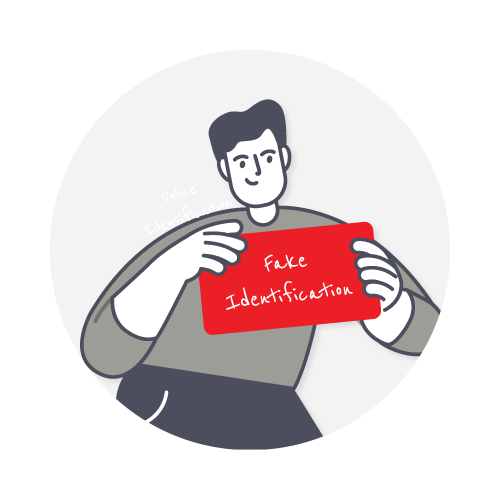
- rushed + untraceable + cash-focused + inconsistent + avoids verification
- Fake officers avoid external verification, often no physical ID shown (only verbal claim)
- The scammer refuses to let you inspect it, and the ID looks printed on paper only
- The scammer will likely avoid verification and showing ID properly
- An insistence on immediate fine and a cash payment required, with no receipt or proof offered
- Refusal to involve the station or dispatch
- Scammer becomes vague, agitated or inconsistent
If the dynamic content is not visible, please select a country from the list
NAME OF THE OFFICER
(police officer)
If the dynamic content is not visible, please select a country from the list
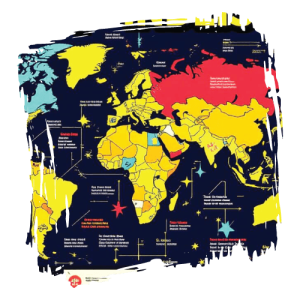
Click on a specific country on the map to learn more about the police force in that country
Picture this: you’re travelling through a new country when someone in uniform approaches you. Are they police, military, border control, or security guards? In your home country, you’d know in an instant, but abroad it’s a whole different story. Uniforms, badges, vehicles and titles vary dramatically from one nation to the next, and knowing the difference isn’t just interesting; it could genuinely matter.
Modern police forces are a relatively recent development, with many established during the early 19th century. Before this, maintaining law and order often fell to militias, vigilante groups, local communities, or individuals themselves. In many parts of the world, people relied on informal or self-administered forms of justice because no organised policing system existed.
Today, most countries operate professional police services responsible for maintaining public safety, enforcing the law, and preserving order within society.
For most people, especially tourists, interactions with the police are uncommon and, ideally, unnecessary. However, when travelling abroad, it is important to understand how policing operates in your destination country and how to identify legitimate law enforcement officers correctly.
In many popular tourist destinations, criminals target visitors by impersonating police officers. These scams often involve individuals posing as plainclothes law enforcement officials who accuse tourists of breaking local laws, entering restricted areas, or failing to carry the correct identification documents. Victims are then pressured into paying an on-the-spot “fine” or threatened with arrest or detention, causing many travellers to hand over money out of fear or confusion.
Welcome to the Gayther World Police Identifier tool, your global guide to essential information on police forces worldwide, helping travellers recognise legitimate officers, better understand local policing systems, and reduce their risk of falling victim to scams or impersonation schemes.
Here are some fascinating facts that illustrate just how varied it gets:
- There are over 190 countries in the world, and almost every country has a unique law enforcement structure, with many operating multiple agencies side by side.
- France has at least two main police forces, the Police Nationale (urban areas) and the Gendarmerie Nationale (rural and military jurisdictions). Both are police forces, but they operate very differently.
- Japan’s Koban system – small neighbourhood police boxes staffed around the clock – is one of the most distinctive and community-focused policing models in the world.
- The United States has more than 18,000 separate law enforcement agencies, ranging from federal giants such as the FBI and DEA to tiny township constables.
- Some countries’ police wear military-style uniforms and carry weapons that would look more at home on a battlefield than on a high street, whereas others patrol unarmed in smart suits.
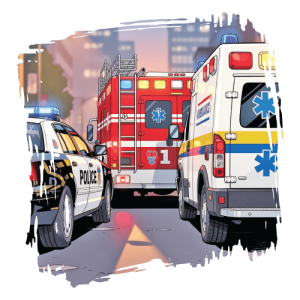
- Police vehicle colours vary widely, from the classic black-and-white of US forces to the blue-and-yellow Battenberg of UK forces to the all-white vehicles used across much of the Middle East.
- Travellers need to know which agency to approach in an emergency, and which interactions require caution or specific protocols.
- Journalists and researchers working in unfamiliar regions need to identify and report on the forces they encounter accurately.
- Expats and digital nomads living abroad benefit from understanding local law enforcement structures and their rights within them.
- Students and curious minds studying criminology, politics, or international relations gain a rich, real-world reference.
- Safety-conscious travellers in higher-risk areas can make better, more informed decisions when they know exactly who they’re dealing with.
- Search by country to explore the full structure of each country’s law enforcement agencies
- Visual guides to uniforms and badges to help you identify officers at a glance
- Agency breakdowns showing who does what, where, and when
- Vehicle and equipment identification across nations and regions
- Know your rights summaries for interactions with police in different countries
- Continuously updated as agencies evolve, rebrand, or restructure
In an unfamiliar world, knowledge is the best badge you can carry.
POLICE FORCE
If the dynamic content is not visible, please select a country from the list
Quickly find all the information you need when planning a trip. Home to over 600 detailed country and regional guides, including a wide range of general information as well as dedicated LGBTQIA+ specific details
Law enforcement cooperation networks provide the institutional frameworks through which countries collaborate to address these cross-border threats. These organisations vary in scope and authority: some function primarily as intelligence-sharing platforms, while others provide operational coordination, technical support, or judicial cooperation mechanisms.
International cooperation mechanisms generally fall into three broad categories:
1 | INTELLIGENCE-SHARING ORGANISATIONS
These organisations primarily facilitate the exchange of criminal intelligence, analytical support, databases, and strategic coordination between member states. They do not usually possess direct arrest powers.
Examples include:
- INTERPOL
- EUROPOL
- ASEANAPOL
- GCCPOL
- AMERIPOL
- AFRIPOL
Their functions commonly include:
- Criminal intelligence exchange
- Fugitive tracking
- Analytical support
- Cross-border coordination
- Threat assessments
- Joint operational planning
2 | OPERATIONAL LAW ENFORCEMENT COOPERATION
Some organisations coordinate multinational investigations and operational task forces. Although most do not possess independent arrest authority, they support operational deployments and real-time coordination between national agencies.
Examples include:
- Joint Investigation Teams (JITs) within the European Union
- EUROPOL-supported operational task forces
- INTERPOL-led coordinated operations targeting organised crime and trafficking networks
These mechanisms often support:
- Counterterrorism operations
- Human trafficking investigations
- Cybercrime disruption
- Maritime interdiction
- Narcotics enforcement
- Financial crime investigations
3 | JUDICIAL COOPERATION BODIES
Judicial cooperation frameworks support extradition, prosecution, evidence sharing, and mutual legal assistance between states.
Examples include:
- Eurojust Mutual Legal Assistance Treaty (MLAT) frameworks
- Bilateral extradition treaties
- International criminal tribunals
These bodies help resolve legal and procedural barriers between jurisdictions and assist prosecutors, courts, and investigative authorities in obtaining evidence located overseas.
International law enforcement cooperation networks have become essential components of modern global security architecture. As criminal activity increasingly transcends national borders, no single state can effectively combat organised crime, cyber threats, terrorism, trafficking, or financial crime in isolation.
Organisations such as INTERPOL, Europol, AFRIPOL, ASEANAPOL, GCCPOL, and AMERIPOL provide the mechanisms through which governments coordinate intelligence sharing, investigations, operational planning, and judicial cooperation. Together, these networks strengthen collective security, improve international policing capabilities, and enhance states’ ability to respond to evolving transnational threats.
Global Membership Distribution
- Africa: 54 member states
- Europe: 50 member states
- Asia: 45 member states
- Americas: 35 member states
- Oceania: 10 member states
INTERPOL NOTICES
INTERPOL maintains a colour-coded notice system that allows member countries to circulate alerts internationally and include:
- Red Notice – requests the location and provisional arrest of a wanted person pending extradition or similar legal action. A Red Notice is not an international arrest warrant; enforcement remains subject to national law.
- Yellow Notice – used to locate missing persons, particularly minors, or identify individuals unable to identify themselves.
- Blue Notice – issued to collect additional information regarding a person’s identity, activities, or location in connection with a criminal investigation.
- Black Notice – used to seek information concerning unidentified human remains.
- Green Notice – provides warnings and intelligence concerning individuals believed likely to commit offences in multiple countries.
- Silver Notice – used to identify, trace, and potentially recover criminally obtained assets and property.
EUROPOL
Europol operates primarily as an intelligence and coordination centre rather than a traditional police force. It maintains partnerships with numerous non-EU countries and international organisations, including INTERPOL, the United Kingdom, the United States, Canada, and Australia.
GCCPOL
- Bahrain
- Kuwait
- Oman
- Qatar
- Saudi Arabia
- United Arab Emirates
Headquartered in Abu Dhabi, GCCPOL focuses on intelligence sharing, counterterrorism coordination, organised crime investigations, and regional security cooperation.
ASEANAPOL
Established in 1981 in Manila, ASEANAPOL facilitates:
- Intelligence sharing
- Institutional training
- Joint investigations
- Counter-trafficking initiatives
- Counterterrorism cooperation
AMERIPOL
Headquartered in Bogotá, AMERIPOL supports:
- Criminal intelligence exchange
- Counter-narcotics operations
- Human trafficking investigations
- Organised crime disruption
- Police training and capacity building
AFRIPOL
Based in Algiers, AFRIPOL coordinates African law enforcement collaboration against:
- Terrorism
- Cybercrime
- Human trafficking
- Arms smuggling
- Financial crime
- Organised criminal networks
EXTRADITION
Countries may refuse extradition for several reasons, including:
- Political offences
- Human rights concerns
- Risk of torture or unfair trial
- Death penalty considerations
- Nationality protections
MUTUAL LEGAL ASSISTANCE TREATIES (MLATS)
MLAT cooperation commonly includes:
- Witness statements
- Financial records
- Digital evidence
- Search and seizure assistance
- Asset tracing
- Service of legal documents
CYBERCRIME COOPERATION PLATFORMS
- Europol’s European Cybercrime Centre (EC3)
- INTERPOL Cybercrime Directorate
- Regional cyber fusion centres
- Public-private intelligence partnerships
These platforms support investigations involving:
- Ransomware
- Dark web marketplaces
- Cryptocurrency laundering
- Online fraud
- State-sponsored cyber threats
- Child exploitation networks
INTELLIGENCE FUSION CENTRES
These centres may combine information from:
- Police agencies
- Customs authorities
- Border security services
- Financial intelligence units
- Intelligence agencies
- Military or national security organisations

Discover more about the support groups and services to help people as they face some of their toughest challenges. Find out more about the different types and what each one represents
The type of legal system is also a key factor, as a general rule:
- Common Law (reasonable suspicion) – “Can you justify stopping me?” or “Am I free to go?”
- Civil Law (codified stop/search powers) – “Which rule allows this stop?” or “What legal article are you relying on?”
- Hybrid (depends on agency or context) – “Depends who is stopping you and why”
- State/Authoritarian (depends on agency or context) – “Compliance first, challenge later”
#1 STAY CALM AND VISIBLY COOPERATIVE
- Stop moving immediately if asked
- Keep your hands visible (especially in some regions like the US or Latin America)/li>
- Do not argue at the roadside or escalate tone/li>
- Stay calm and neutral in tone/li>
- Do not run or attempt to walk away>
GOAL
#2 ASK FOR IDENTIFICATION
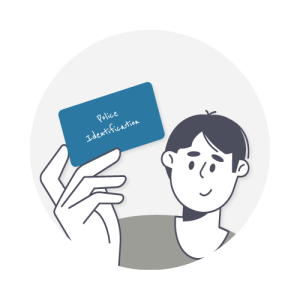
- Ask the police to see the officer’s identification
- You can say: “Could I please see your ID and badge?”
- Official ID card or warrant card
- Badge number or service number
- Clear police insignia
- Expiry date and rank information

GOAL
#3 CHECK THE IDENTIFICATION
- Establishing whether the identifier is geniuine
- Looking closely at the quality and accuracy of the ID

- Does the photo display match the officer in front of you?
- Is the full name, rank and number present?
- Is a force name present and looks official (not generic)
GOAL
#4 ASK FOR THE REASONING
- If being stopped by the police, you can ask for an explanation. Saying something like “Can you explain why I’ve been stopped?”
- Legitimate officers will give a clear reason (traffic, ID check, routine stop, etc.) and reference a law or regulation if relevant
RED FLAG
#5 REQUEST PAPERWORK
- If there is a fine or violation, request paperwork
- Asking something like “Can I have a written ticket or official citation?”
- Printed ticket or electronic notice
- Reference number
- Payment instructions through official channels (bank, website, court)
RED FLAG
#6 REQUEST VERIFICATION
- You can calmly say: “Can we verify this at the nearest police station?”
- Or “Can you confirm this through dispatch?”
- Agree or explain the process
- Sometimes, even escort you to the station
RED FLAG
#7 OBSERVE CONTEXT
- Marked police vehicle nearby
- Multiple officers present
- Radios or official equipment
- Uniform consistency
RED FLAG
No vehicle or official backup, poorly marked uniforms and acting alone in suspicious situations (varies by country)
#8 RESPONSIVE COMPLIANCE
- Only provide passport/ID when requested officially
- Ask when it will be returned
- Keep calm but aware of the possession chain
IMPORTANT
#9 KNOW YOUR RIGHTS
- Europe typically has strong documentation rights
- In the USA, generally, you can remain silent in many situations
- Japan encounters result in formal questioning and a high level of documentation
- In many countries, you can request station verification
- For many regions, rules may vary, but paperwork should still exist
- There is no universal legal rule you can rely on globally, but there is a universal pattern: Police encounters always hinge on one question: “Am I free to leave?”
IMPORTANT
#10 NEUTRAL LANGUAGE
GOOD PHRASES:
- “I want to cooperate.”
- “Can you explain the procedure?”
- “I prefer to resolve this at the station if needed.”
- Arguing legality on the street
- Raising your voice
- Sudden movements
- Stay calm
- Do not hand over large amounts of cash
- Request station verification
- Note badge numbers if safe to do so
- Move toward:
- busy/public area
- well-lit space
- shops or transport hubs
- Avoid isolated locations if not officially required.
CONTROL INFORMATION FLOW
- Only provide documents when officially requested
- Do not hand over the passport unless necessary
- Keep documents in sight when possible
IMPORTANT
USE “NEUTRAL REPETITION” IF PRESSURED
- If they keep pushing for cash, repeat calmly: “I can only proceed through official procedures or at the station.”
- Do not change your story. Do not escalate emotionally.
ESCALATION THRESHOLD (IMPORTANT)
- No ID shown
- No paperwork offered
- Cash demanded immediately
- Refusal of station/dispatch verification
- Isolation pressure
IMPORTANT
REPEATING THE STEPS:
- By staying calm and staying safe
- Do not physically resist
- Move toward the public area if safe
- At the first safe opportunity, seek a real police station or public assistance (by getting the attention of those around you)
UNIVERSAL SAFE EXIT PHRASE
This signals:
- cooperation
- refusal of informal handling
- expectation of accountability
Knowing the local emergency telephone numbers is crucial, whether at home or abroad. The Gayther guide not only provides the various telephone numbers for the emergency services worldwide but also common phrases in the native language
In the modern world, we are frequently confronted with scams, some obvious, others sophisticated and convincing enough to deceive even cautious people. Scams are not limited to emails, phone calls, or fake websites; many occur face-to-face.
A scam is a deceptive scheme or fraudulent act designed to trick someone into giving away money, personal information, or valuables. Unlike hacking or physical theft, where criminals forcibly gain access to accounts or property, scams rely on manipulation. The victim is persuaded to hand over funds or information willingly.
When travelling, many people naturally relax and lower their guard. At the same time, unfamiliar laws, customs, and procedures can make tourists especially vulnerable to scams. In this section, we will explore some of the more common scams in which individuals impersonate police officers worldwide.
The format of these scams is often similar. A person approaches the victim, claims that a rule or law has been broken, and identifies themselves as a police officer, frequently stating they are plain-clothes police. In many cases, they will attempt to move the conversation somewhere quieter and out of public view, for example, “Come with me so we can talk privately.”
It is important to remain calm, cautious, and visible. Asking questions such as:
- “May I see your identification?”
- “Can we speak in a public place?”
- “Can we go to the nearest police station or hotel reception?”
All of the questions are entirely reasonable requests. Genuine police officers will usually not object to reasonable verification, particularly when dealing with tourists. The key is to remain respectful, cooperative, and focused on your safety at all times.
Before looking at examples from different regions, it is helpful to understand some indicators of legitimacy:
- Traceability – A genuine officer should normally have a name, badge number, or other verifiable identification..
- Authority – Official uniforms, badges, and equipment support legitimacy..
- Proof – Police identification or warrant cards provide evidence of official status..
- Context – The presence of a marked police vehicle, checkpoint, or nearby police station can add credibility..
- Verification – Genuine officers should not object to identification being verified through a police station or radio communication.
HONEYPOT
- They typically use attractive stock photos of models or stolen images from social media.
- They want to meet in a private or isolated place.
- They want you to show public displays of affection.
- When in public, they arrest you and often fabricate evidence.
- Trying to fast-track conversions, pushing to meet soon after the initial exchange.
- Location settings turned off or disabled.
- Refusing to do a quick video.
- Asking for pictures or ways to identify you without providing any way to identify them.
EXTORTION
- You meet someone online; they insist on being discreet, only showing their face in a video call or in person, where nothing can be captured or stored.
- Anything written down or recorded is very different from the way they speak or interact with you in person.
- Once you meet and they have incriminating evidence, they start blackmailing you, saying that if you do not pay, they will report you.
- They want you to be explicit online in messages or by sending intimate pictures, especially with your face, but they do not send you anything or write anything in messages.
- They tell you they are cautious because of the country’s laws, but insist it is different for visitors.
- They tell you very little about themselves, or any way to identify them.
AFRICA
- Fake roadside stops or checkpoint impersonation
- Requests for “instant fines” or unofficial fees
- Lack of proper checkpoint structure
- No radio communication or station verification
EASTERN EUROPE
- Fake traffic stops demanding cash penalties
- No official documentation process
- No written citation provided
LATIN AMERICA
- “Officers” stop tourists on the street or roadside
- Immediate cash “fines” are demanded
- Fake or improvised identification may be shown
- Scammers sometimes operate in pairs
- Requests for immediate cash payment
- No receipt or official paperwork
- No marked patrol vehicle nearby
SOUTH ASIA
- Individuals posing as traffic police or inspection officers
- Fines demanded for unclear or minor violations
- No written ticket or challan issued
- Pressure to pay immediately
SOUTHEAST ASIA
- “Traffic violation” stops targeting foreigners
- Requests for immediate cash settlement
- Vague references to permits or documentation issues
- No formal ticketing process offered
- Reluctance to involve a police station
OTHER DEVELOPED REGIONS
- In-person police impersonation scams are relatively rare
- More common scams include: fake parking enforcement notices, phishing-style “fine” messages, or emails
- Any “police officer” demanding immediate cash payment on the street should be treated as highly suspicious
Home | GAYTHER CARE
Accessibility Statement
- gayther.care
- July 15, 2026
Compliance status
We firmly believe that the internet should be available and accessible to anyone, and are committed to providing a website that is accessible to the widest possible audience, regardless of circumstance and ability.
To fulfill this, we aim to adhere as strictly as possible to the World Wide Web Consortium’s (W3C) Web Content Accessibility Guidelines 2.1 (WCAG 2.1) at the AA level. These guidelines explain how to make web content accessible to people with a wide array of disabilities. Complying with those guidelines helps us ensure that the website is accessible to all people: blind people, people with motor impairments, visual impairment, cognitive disabilities, and more.
This website utilizes various technologies that are meant to make it as accessible as possible at all times. We utilize an accessibility interface that allows persons with specific disabilities to adjust the website’s UI (user interface) and design it to their personal needs.
Additionally, the website utilizes an AI-based application that runs in the background and optimizes its accessibility level constantly. This application remediates the website’s HTML, adapts Its functionality and behavior for screen-readers used by the blind users, and for keyboard functions used by individuals with motor impairments.
If you’ve found a malfunction or have ideas for improvement, we’ll be happy to hear from you. You can reach out to the website’s operators by using the following email
Screen-reader and keyboard navigation
Our website implements the ARIA attributes (Accessible Rich Internet Applications) technique, alongside various different behavioral changes, to ensure blind users visiting with screen-readers are able to read, comprehend, and enjoy the website’s functions. As soon as a user with a screen-reader enters your site, they immediately receive a prompt to enter the Screen-Reader Profile so they can browse and operate your site effectively. Here’s how our website covers some of the most important screen-reader requirements, alongside console screenshots of code examples:
-
Screen-reader optimization: we run a background process that learns the website’s components from top to bottom, to ensure ongoing compliance even when updating the website. In this process, we provide screen-readers with meaningful data using the ARIA set of attributes. For example, we provide accurate form labels; descriptions for actionable icons (social media icons, search icons, cart icons, etc.); validation guidance for form inputs; element roles such as buttons, menus, modal dialogues (popups), and others. Additionally, the background process scans all the website’s images and provides an accurate and meaningful image-object-recognition-based description as an ALT (alternate text) tag for images that are not described. It will also extract texts that are embedded within the image, using an OCR (optical character recognition) technology. To turn on screen-reader adjustments at any time, users need only to press the Alt+1 keyboard combination. Screen-reader users also get automatic announcements to turn the Screen-reader mode on as soon as they enter the website.
These adjustments are compatible with all popular screen readers, including JAWS and NVDA.
-
Keyboard navigation optimization: The background process also adjusts the website’s HTML, and adds various behaviors using JavaScript code to make the website operable by the keyboard. This includes the ability to navigate the website using the Tab and Shift+Tab keys, operate dropdowns with the arrow keys, close them with Esc, trigger buttons and links using the Enter key, navigate between radio and checkbox elements using the arrow keys, and fill them in with the Spacebar or Enter key.Additionally, keyboard users will find quick-navigation and content-skip menus, available at any time by clicking Alt+1, or as the first elements of the site while navigating with the keyboard. The background process also handles triggered popups by moving the keyboard focus towards them as soon as they appear, and not allow the focus drift outside it.
Users can also use shortcuts such as “M” (menus), “H” (headings), “F” (forms), “B” (buttons), and “G” (graphics) to jump to specific elements.
Disability profiles supported in our website
- Epilepsy Safe Mode: this profile enables people with epilepsy to use the website safely by eliminating the risk of seizures that result from flashing or blinking animations and risky color combinations.
- Visually Impaired Mode: this mode adjusts the website for the convenience of users with visual impairments such as Degrading Eyesight, Tunnel Vision, Cataract, Glaucoma, and others.
- Cognitive Disability Mode: this mode provides different assistive options to help users with cognitive impairments such as Dyslexia, Autism, CVA, and others, to focus on the essential elements of the website more easily.
- ADHD Friendly Mode: this mode helps users with ADHD and Neurodevelopmental disorders to read, browse, and focus on the main website elements more easily while significantly reducing distractions.
- Blindness Mode: this mode configures the website to be compatible with screen-readers such as JAWS, NVDA, VoiceOver, and TalkBack. A screen-reader is software for blind users that is installed on a computer and smartphone, and websites must be compatible with it.
- Keyboard Navigation Profile (Motor-Impaired): this profile enables motor-impaired persons to operate the website using the keyboard Tab, Shift+Tab, and the Enter keys. Users can also use shortcuts such as “M” (menus), “H” (headings), “F” (forms), “B” (buttons), and “G” (graphics) to jump to specific elements.
Additional UI, design, and readability adjustments
- Font adjustments – users, can increase and decrease its size, change its family (type), adjust the spacing, alignment, line height, and more.
- Color adjustments – users can select various color contrast profiles such as light, dark, inverted, and monochrome. Additionally, users can swap color schemes of titles, texts, and backgrounds, with over seven different coloring options.
- Animations – person with epilepsy can stop all running animations with the click of a button. Animations controlled by the interface include videos, GIFs, and CSS flashing transitions.
- Content highlighting – users can choose to emphasize important elements such as links and titles. They can also choose to highlight focused or hovered elements only.
- Audio muting – users with hearing devices may experience headaches or other issues due to automatic audio playing. This option lets users mute the entire website instantly.
- Cognitive disorders – we utilize a search engine that is linked to Wikipedia and Wiktionary, allowing people with cognitive disorders to decipher meanings of phrases, initials, slang, and others.
- Additional functions – we provide users the option to change cursor color and size, use a printing mode, enable a virtual keyboard, and many other functions.
Browser and assistive technology compatibility
We aim to support the widest array of browsers and assistive technologies as possible, so our users can choose the best fitting tools for them, with as few limitations as possible. Therefore, we have worked very hard to be able to support all major systems that comprise over 95% of the user market share including Google Chrome, Mozilla Firefox, Apple Safari, Opera and Microsoft Edge, JAWS and NVDA (screen readers).
Notes, comments, and feedback
Despite our very best efforts to allow anybody to adjust the website to their needs. There may still be pages or sections that are not fully accessible, are in the process of becoming accessible, or are lacking an adequate technological solution to make them accessible. Still, we are continually improving our accessibility, adding, updating and improving its options and features, and developing and adopting new technologies. All this is meant to reach the optimal level of accessibility, following technological advancements. For any assistance, please reach out to